

Understanding SOCKS5 Proxies: A Comprehensive Guide
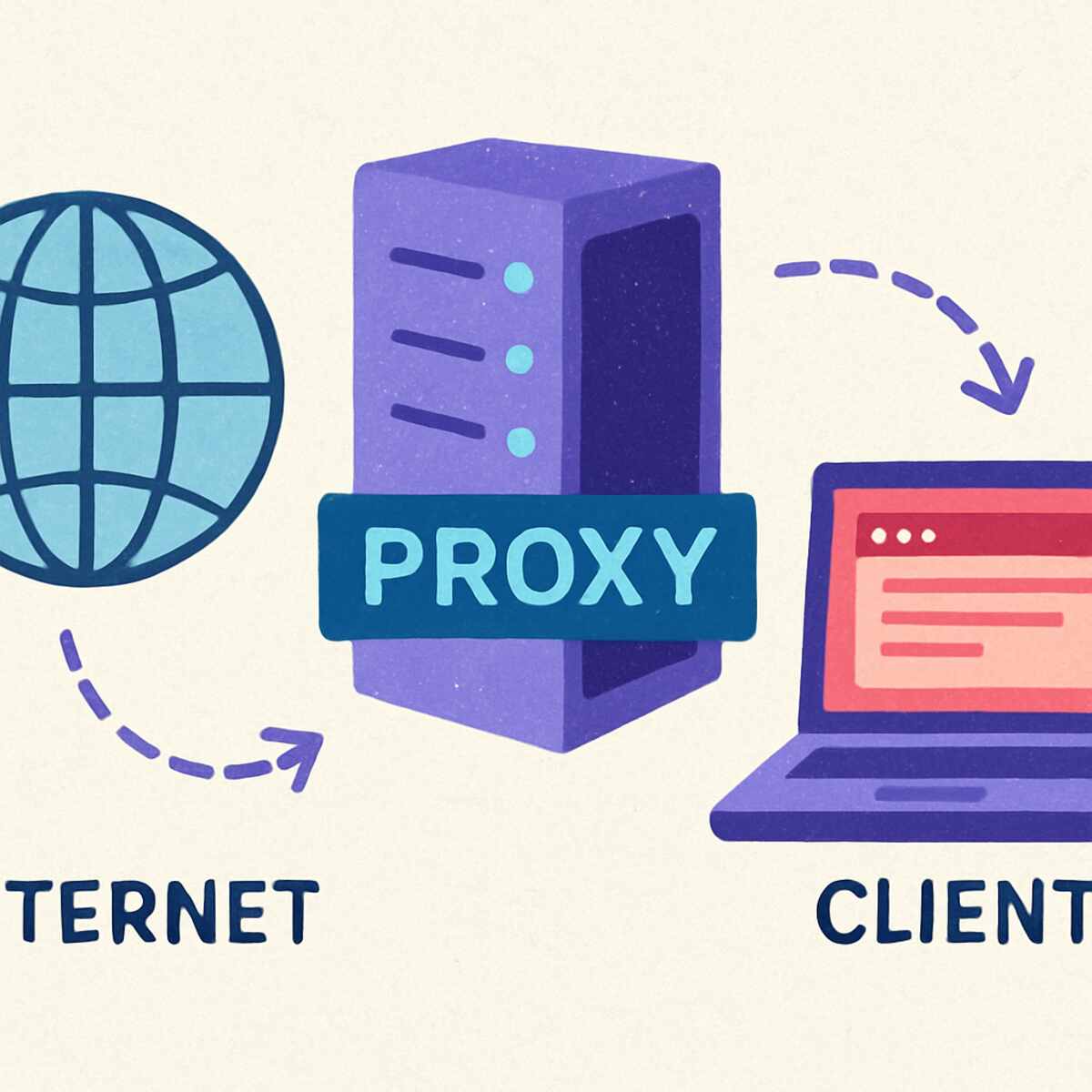
In the world of internet connectivity and network security, proxies play a crucial role. Among the various types available, SOCKS5 proxies stand out due to their versatility and robustness. This comprehensive guide aims to unravel the complexities of SOCKS5 proxies, providing you with an in-depth understanding of what they are, how they work, and how they can be configured for optimal performance. Whether you’re a seasoned IT professional or someone new to network configurations, this guide will enhance your knowledge and equip you with practical skills. What is the perfect way to find the proxies for facebook ads?
A SOCKS5 proxy is an internet protocol that routes network packets between a client and server using a proxy server. The primary function of this type of proxy is to bypass internet restrictions and improve security while maintaining anonymity. Unlike its predecessors, SOCKS5 proxies support a variety of authentication methods and can handle different types of traffic, including UDP, which is not possible with older versions like SOCKS4.
The Evolution of SOCKS Protocols
The SOCKS protocol has evolved significantly since its inception. Initially, SOCKS4 was introduced to facilitate proxy services, but it lacked support for UDP and authentication. SOCKS5, introduced later, addressed these limitations and became the preferred choice for more complex network environments.
Use Cases in Modern Networks
SOCKS5 proxies are invaluable in modern networks, providing solutions for both individual users and large organizations. They are widely used for secure browsing, bypassing geographic restrictions, and supporting applications that require high-speed data transmission, such as video conferencing and online gaming.
Comparison with Other Proxies
Compared to other proxy types like HTTP proxies, SOCKS5 offers broader protocol support and better performance. While HTTP proxies are limited to handling web traffic, SOCKS5 can manage various types of data, making it more versatile and efficient in different network scenarios.
Key Features of SOCKS5 Proxies
- Protocol Support: SOCKS5 supports both TCP and UDP protocols, making it versatile for various applications, including torrenting and gaming. This dual support ensures that SOCKS5 can handle a wide range of data types, from simple web traffic to complex video streaming and interactive gaming sessions.
- Authentication: It offers optional authentication, allowing users to choose between no authentication, username/password, or GSS-API authentication for added security. This flexibility in authentication methods ensures that SOCKS5 can be tailored to meet specific security requirements, providing peace of mind for both casual users and IT professionals.
- Firewall Bypassing: By operating at a lower level compared to HTTP proxies, SOCKS5 can easily bypass firewalls and network restrictions. This capability is particularly valuable in environments where strict network controls are in place, allowing users to maintain uninterrupted access to essential resources.
- No DNS Leak: With SOCKS5, DNS queries are routed through the proxy, preventing DNS leaks and ensuring privacy. This feature is crucial for maintaining anonymity, as it prevents third parties from tracking your online activities through DNS requests.
How Does a SOCKS5 Proxy Work?
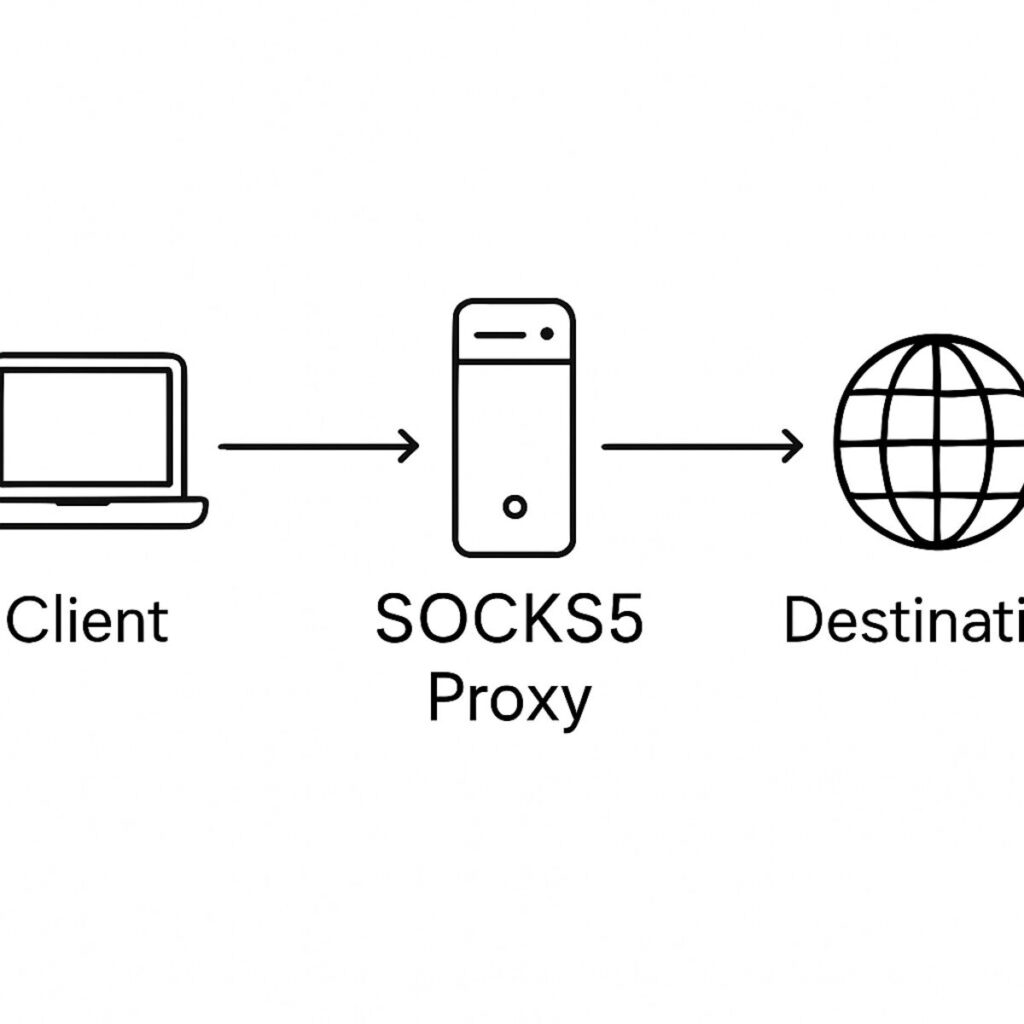
To understand how SOCKS5 proxies work, it’s essential to recognize their position within the network. When a client connects to a SOCKS5 proxy, the proxy server acts as an intermediary between the client and the internet. It routes the client’s data packets to the desired destination, masking the client’s IP address and preventing direct exposure to the internet.
The Role of Proxy Servers
Proxy servers play a pivotal role in network communication, acting as a bridge between users and the internet. By positioning themselves between the client and the target server, proxies like SOCKS5 ensure secure data transmission and enhance user privacy by concealing IP addresses.
Detailed Connection Process
- Connection Request: The client initiates a connection request to the proxy server. This step involves specifying the target server and the type of protocol to be used, setting the stage for secure data transmission.
- Authentication: Based on the configuration, the server may require authentication. This step is crucial for ensuring that only authorized users can access the proxy services, adding an extra layer of security to the network.
- Data Transmission: Once authenticated, the proxy server forwards the client’s data packets to the target server, simultaneously receiving and forwarding responses back to the client. This seamless data flow ensures that users experience minimal latency and uninterrupted connectivity.
- Termination: The connection can be terminated by either the client or the server upon task completion. This flexibility allows users to manage their sessions efficiently, ensuring that resources are used optimally.
Importance of IP Masking
One of the key advantages of using SOCKS5 proxies is IP masking. By hiding the user’s real IP address, proxies provide a layer of anonymity, making it difficult for third parties to trace online activities. This feature is particularly beneficial for privacy-conscious users and those operating in regions with strict internet censorship.
Enhancing Network Security
SOCKS5 proxies enhance network security by preventing direct connections between clients and servers. This indirect communication method reduces the risk of cyberattacks and data breaches, as malicious actors cannot easily target the client’s IP address.
Configuring a SOCKS5 Proxy
Setting up a SOCKS5 proxy can seem daunting, but with a clear, step-by-step approach, the process becomes manageable. Below, we outline the configuration process for both Windows and macOS environments.
Preparing for Configuration
Before diving into the configuration process, it’s essential to gather all necessary information, including the proxy server’s IP address and port number. Additionally, ensure that your network environment allows proxy connections and that you have administrative privileges to make changes.
Configuration on Windows
- Download a SOCKS5 Proxy Client: Start by downloading a reliable SOCKS5 proxy client such as PuTTY or Bitvise. These tools provide the necessary interface for configuring and managing SOCKS5 connections on Windows.
- Install and Launch the Client: Follow the installation instructions and open the client application. Familiarize yourself with the interface, as this will be your main control panel for managing proxy settings.
- Set Proxy Details: Enter the proxy server’s IP address and port number provided by your proxy service provider. Ensure that these details are accurate, as incorrect information can lead to connectivity issues.
- Authentication: If required, enter the username and password credentials for authentication. This step is crucial for securing your connection and preventing unauthorized access to the proxy services.
- Connect: Initiate the connection, ensuring that your network firewall allows traffic through the specified port. Once connected, verify the proxy’s functionality by accessing a web service or application that requires proxy support.
Configuration on macOS
- Access Network Preferences: Go to ‘System Preferences’ and select ‘Network’. This section allows you to manage all network-related settings on your macOS device.
- Select Active Connection: Choose the active network connection (e.g., Wi-Fi, Ethernet) and click ‘Advanced’. This step is crucial for ensuring that the proxy settings apply to the correct network interface.
- Configure Proxies: Navigate to the ‘Proxies’ tab, check ‘SOCKS Proxy’, and enter the server’s details. Ensure that the IP address and port number are correct to prevent connectivity issues.
- Authentication: Provide authentication details if necessary, and click ‘OK’. This step secures your connection and ensures that only authorized users can access the proxy services.
- Apply Settings: Ensure the settings are applied and verify the connection through a web browser or network utility tool. Testing the proxy ensures that your configuration is correct and that the proxy is functioning as expected.
Troubleshooting Common Issues
During the configuration process, you may encounter common issues such as connectivity errors or authentication failures. Understanding how to troubleshoot these problems is essential for ensuring a smooth setup and maintaining reliable proxy services.
Benefits and Use Cases of SOCKS5 Proxies
SOCKS5 proxies offer numerous benefits, making them suitable for a wide range of applications:
Enhanced Security and Anonymity
By masking your IP address, SOCKS5 proxies provide a layer of anonymity, making it difficult for third parties to track your online activities. This is particularly beneficial for privacy-conscious users and those operating in regions with stringent internet censorship.
Improved Performance
SOCKS5 proxies can improve network performance by efficiently routing traffic and reducing latency. This is especially advantageous for activities requiring high data throughput, such as streaming and online gaming. The proxy’s ability to handle both TCP and UDP protocols ensures that it can optimize data transmission for a variety of applications.
Versatile Applications
From bypassing geo-restrictions to supporting peer-to-peer file sharing, SOCKS5 proxies are versatile tools that cater to various needs, including corporate environments requiring secure remote access. Their flexibility allows businesses to implement robust security measures while maintaining efficient communication channels.
Support for Advanced Applications
SOCKS5 proxies are particularly beneficial for advanced applications such as virtual private networks (VPNs) and remote desktop services. By integrating SOCKS5 with these technologies, users can enhance their security and performance, ensuring reliable and secure access to remote resources.
Potential Drawbacks and Considerations
Despite their advantages, SOCKS5 proxies are not without limitations. It’s important to weigh these considerations before implementation:
Limited Encryption
Unlike VPNs, SOCKS5 proxies do not inherently encrypt data, necessitating additional security measures for sensitive information. Users should consider implementing complementary security solutions, such as VPNs or encryption protocols, to safeguard their data.
Reliability
The quality of service may vary depending on the proxy provider, impacting connection stability and speed. Choosing a reputable proxy service provider is crucial for ensuring reliable and consistent performance.
Configuration Complexity
Initial setup and configuration can be complex, requiring technical expertise to ensure proper implementation. Users may need to invest time in learning about proxy settings and troubleshooting common issues to achieve optimal results.
Maintenance and Management
Ongoing maintenance and management of SOCKS5 proxies can be resource-intensive, requiring regular updates and monitoring to ensure continued performance and security. Organizations should allocate sufficient resources and expertise to manage their proxy infrastructure effectively.
Conclusion
SOCKS5 proxies are powerful tools in the realm of network management, offering a blend of security, flexibility, and performance. By understanding their features, configuration, and potential use cases, you can leverage SOCKS5 proxies to enhance your internet experience, ensuring privacy and efficiency. Whether for personal use or corporate applications, mastering SOCKS5 proxies can significantly contribute to your network strategy, providing the anonymity and control you desire.
In summary, this guide has walked you through the intricacies of SOCKS5 proxies, from their core functionality to practical implementation. By applying these insights, you can confidently integrate SOCKS5 proxies into your network setup, optimizing performance and safeguarding your digital footprint. With this knowledge, you are well-equipped to navigate the complexities of modern network environments, ensuring that your online activities remain secure and efficient.
